Your tasks schedule and reschedule themselves.
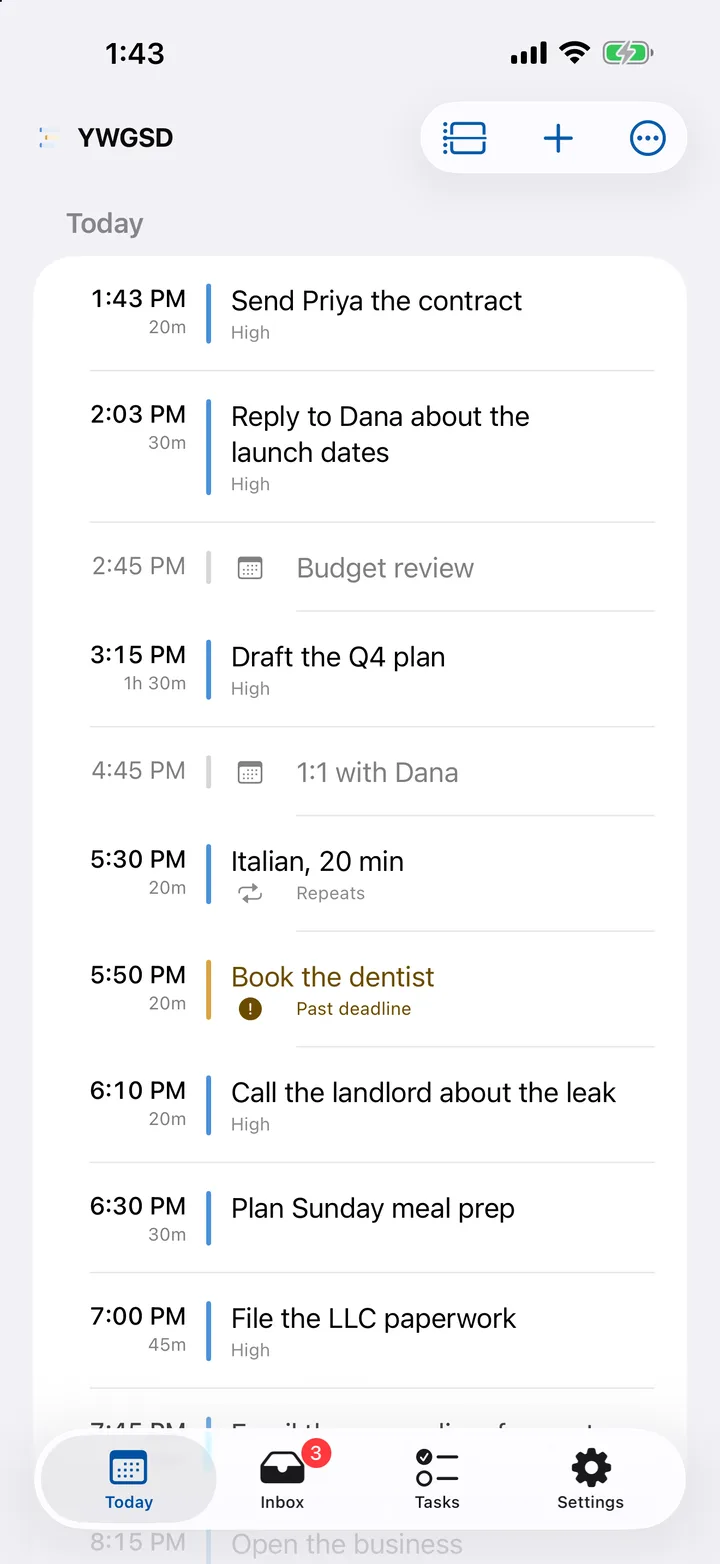
Jot it down, give it a length, and it lands in a real gap around your meetings. When the day changes, the plan moves with it. Which it will.
14 days free. We email you before we charge, and you can cancel in one click.
Works in any browser today. The iPhone app is on its way to the App Store.
Tuesday afternoon
Your afternoon, planned around your meetings
Send Priya the contract
Budget review
Business plan, first draft
2:00–3:00
Book the dentist
Italian, 20 min
Watch the two-minute story.
Why a to-do list never tells you when, and what a Monday looks like when something does. Sound on, captions on.
Sound familiar?
The list only grows.
Everything goes on it and nothing comes off. A month in, it’s too long to mean anything.
The plan’s wrong by ten.
One meeting moves and the rest of the day is fiction. Fixing it by hand takes longer than the work.
Half of today moves to tomorrow.
By hand, every evening. Then again the next evening.
One app instead of three habits.
- Instead of:
Time-blocking your calendar by hand - It finds the gaps and books them for you.
- Instead of:
A to-do list that never shrinks - Everything gets a real time, or waits in the Inbox until it does.
- Instead of:
Re-planning every Sunday night - It re-plans the moment something changes.
Your plan survives the day.
Most plans fall apart by Tuesday. This one doesn’t, because it isn’t yours to fix.
Don’t re-plan. Let it rebuild.
A meeting lands or gets cancelled, something urgent comes up, you finish early. The work moves to the next gap on its own.
Nothing disappears
Fall behind for a week and nothing’s lost. What you didn’t get to comes back in front of you, and anything past its deadline is marked in amber until you do it or cancel it.
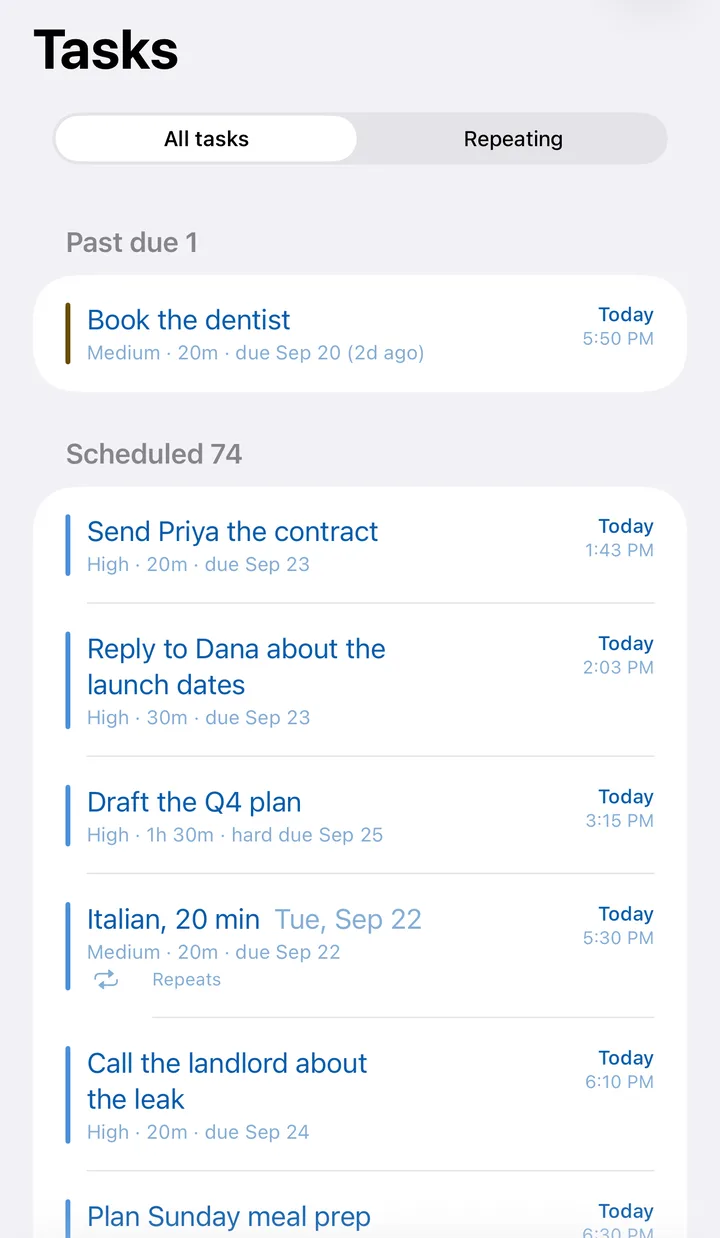
Almost no upkeep.
Two decisions per task, made when you’ve got a minute. The rest is YWGSD’s job.
Jot it down in three seconds
Type the thought and get back to what you were doing. No length, no priority, no deadline yet. It’s out of your head, and it’s safe.
Mid-meeting, three seconds
Ask the accountant about the LLC deadline
AddInbox
No length, no deadline yet
Ask the accountant about the LLC deadline
just now
Find someone to practise Italian with
2h ago
Look into a stall at the spring market
yesterday
Tap through them later, in one go
That’s the once-over: once a day or once a week, each thought gets how long and how important. Two taps each, about a minute for three, and every one lands on your calendar.
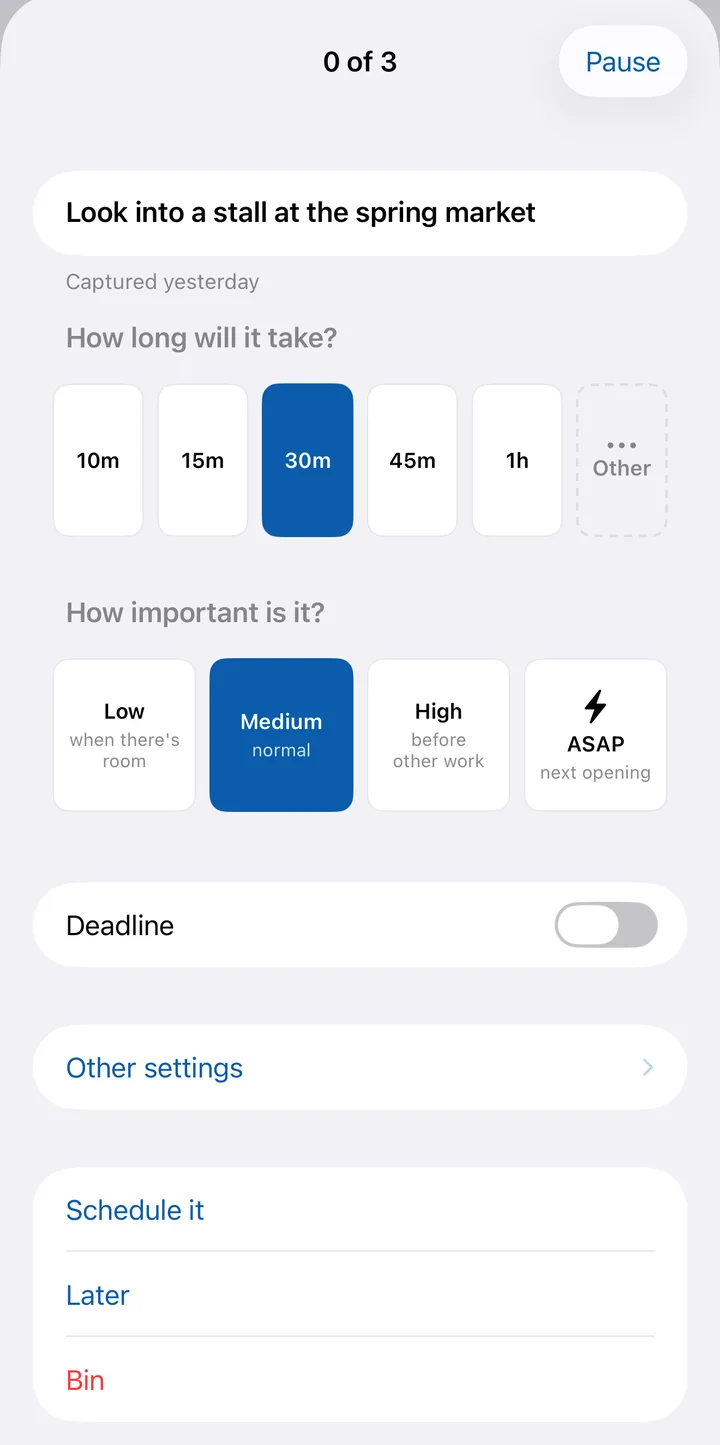
One plan for every job you’ve got.
Day job, side business, Thursday’s class, the stuff at home. You don’t get a fresh 24 hours for each one, so it all goes in one plan.
- Each job keeps its hours. The day job gets 9 to 5. The side business gets evenings and Saturdays. Same list, different hours.
- Work can wait on life. Can’t send the invoice until the accountant replies? Say so, and they’ll never be booked the wrong way round.
- Every calendar counts. The work one, the personal one, the family one. Your tasks land around all of them.
14 days free. We email you before we charge, and you can cancel in one click.
Your calendar stays yours.
Connect Google, Outlook and iCloud, as many as you use. YWGSD reads them to find the gaps and never writes to them, so nothing ever shows up on your work calendar.
And if a connection drops, it tells you instead of quietly booking over your meetings.
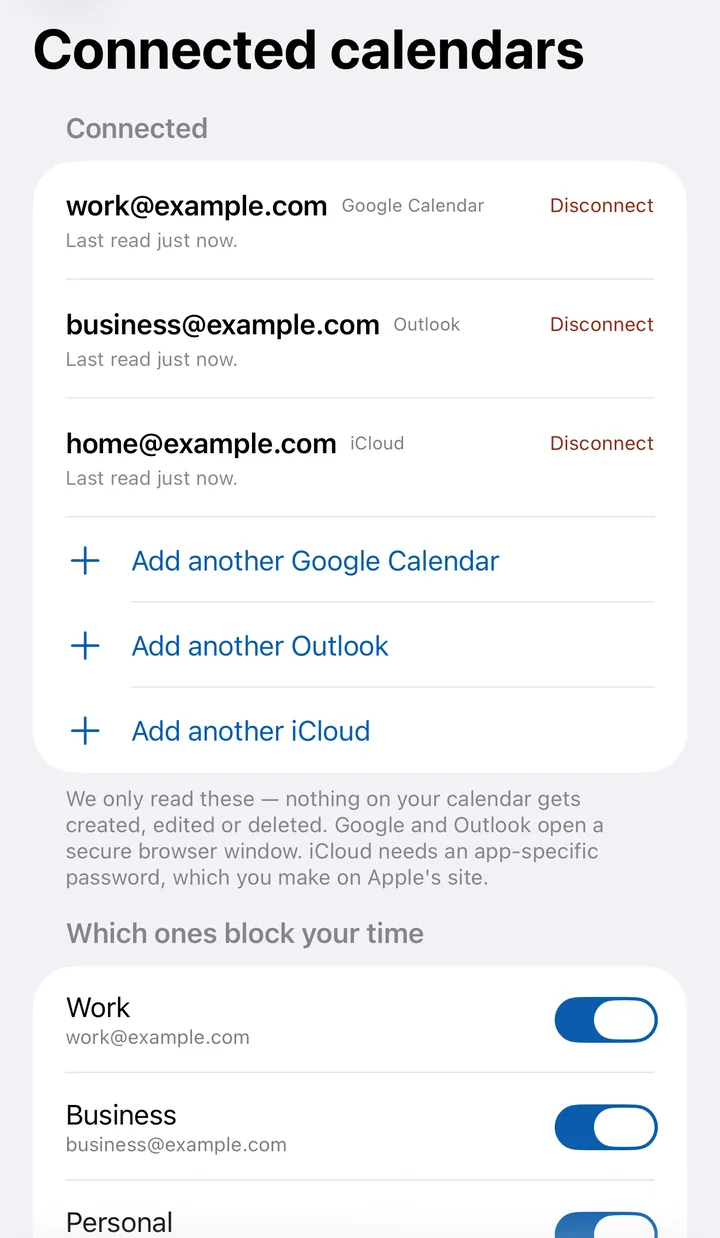
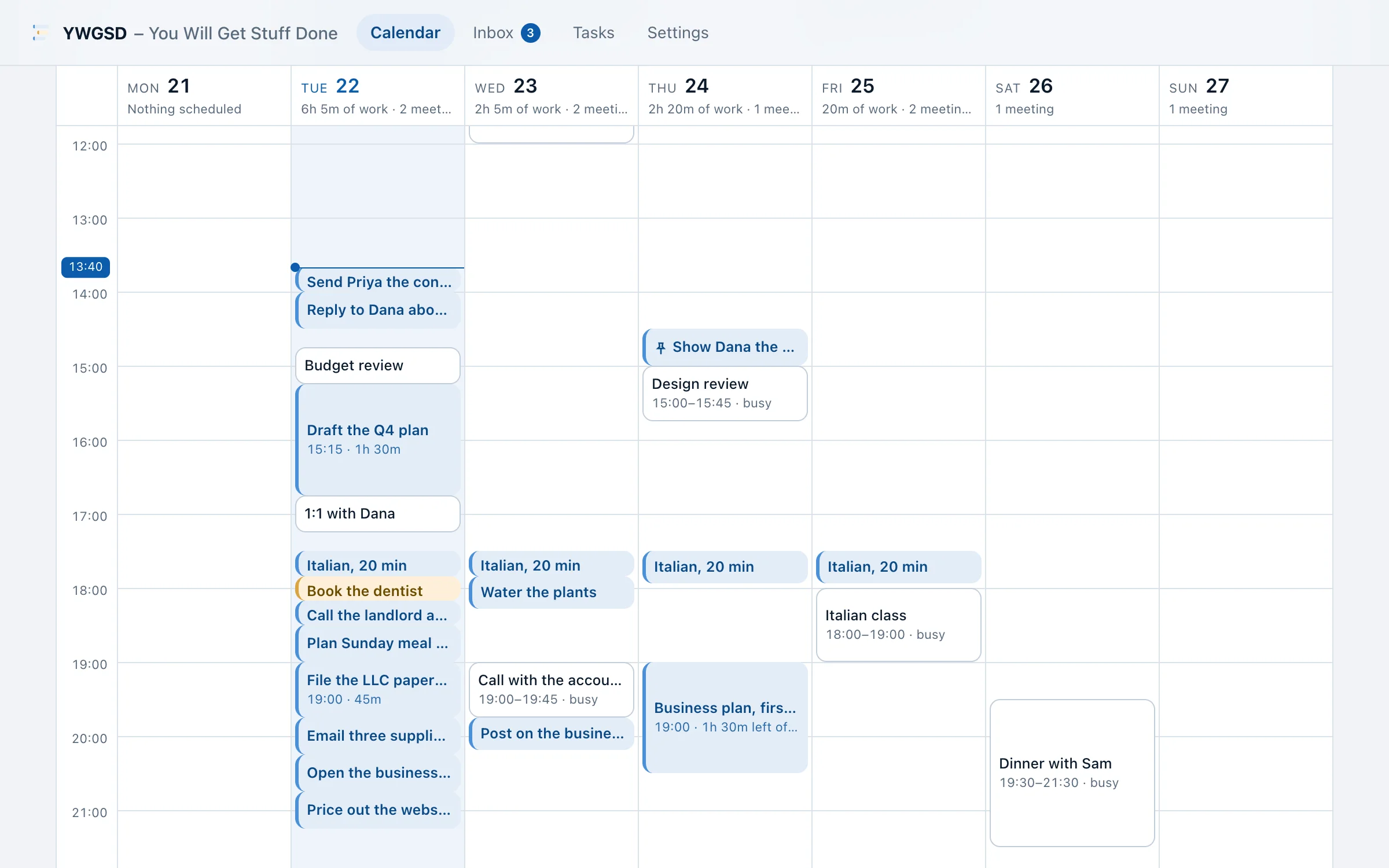
Same week on the web.
Start today in any browser. It’s the same account and the same plan as the iPhone app, with room to see the whole week.
Why YWGSD exists
Every planner I tried needed more looking after than the work in it. So YWGSD asks for two things, how long and how important, and does the rest. If something gets in your way, write to hello@youwillgetstuffdone.com and tell me.
Nicholas
$24 a month, or $192 a year.
Everything’s included on every plan. Yearly works out at $16 a month. Join by December 31 and you’re a founding member: $149 a year for as long as you stay subscribed.
14 days free. We email you before we charge, and you can cancel in one click.
Questions people ask first.
What if I fall behind for a week?
Nothing’s lost, and there’s nothing to untangle. Everything you didn’t get to moves into your next openings, inside your hours, most important first. Anything past its deadline turns amber until you do it or cancel it. If the whole week’s gone sideways, Reschedule all starts it over in one go.
Does anything show up on my work calendar?
No. YWGSD reads your calendars to find the gaps and never writes to them, so nobody sees blocks from it. Your plan lives in YWGSD, on the web and on your phone.
Why do I need a card for the trial?
So nothing stops when the trial ends. You’re not charged during it, we email you 3 days before the first charge, and cancelling before then means you’re never charged at all.
How do I cancel?
On the web: Settings, then Cancel subscription, one click, no form. You keep everything until the end of what you’ve paid for. If you subscribed in the iPhone app, Apple takes that payment, so you cancel with Apple: Manage subscription in Settings takes you there.
Is there an iPhone app?
Yes, and it’s on its way to the App Store. Until it’s there, YWGSD runs in the browser on your phone or computer, and the same account and plan work in the app when it lands.
Let your week plan itself.
14 days free. We email you before we charge, and you can cancel in one click.